
Slab Detailing AutoCAD File (Free DWG for Structural Practice & Construction Use)
Slab detailing is one of the most important parts of reinforced concrete structural design. A properly prepared Slab Detailing AutoCAD File helps engineers, draftsmen, and students clearly understand how reinforcement is arranged in different types of slabs. If you are searching for a Download Slab Detailing AutoCAD File (DWG), this guide will give you a complete overview along with practical detailing concepts.
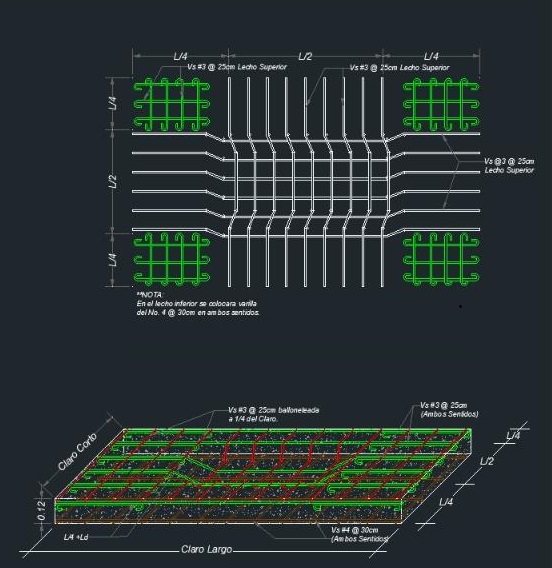
What is Slab Detailing?
Slab detailing refers to the process of preparing drawings that show the arrangement of reinforcement in a concrete slab. These drawings define how steel bars are placed in the top and bottom layers, spacing between bars, cover thickness, and support conditions. Slab detailing ensures that the slab can safely carry loads such as self-weight, live loads, and finishes without cracking or excessive deflection.
Why Download Slab Detailing AutoCAD File?
Using a ready-made detailing AutoCAD file (DWG) for slabs is very useful for both learning and professional work. Instead of drafting everything manually, you can use a standard Slab Detailing AutoCAD File as a reference or base drawing. Many engineers search for Download Detailing AutoCAD File, Slab Detailing DWG AutoCAD File, and Structural Detailing CAD File to save time and improve accuracy in their work.
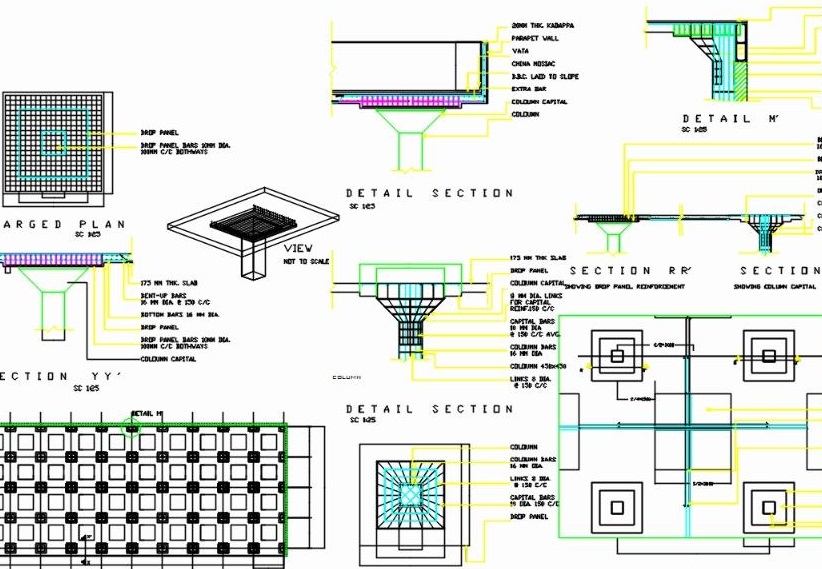
What is Included in a Slab Detailing DWG File?
A standard Slab Detailing AutoCAD File includes several important components. It typically shows a plan view of reinforcement layout, indicating main and distribution bars. It also includes sectional drawings that explain bar placement at supports and mid-span. In many cases, additional details like edge reinforcement, openings, and bar bending schedules (BBS) are also included. These elements make the file useful for both design verification and construction execution.
Types of Slab Detailing in AutoCAD Files
Slab detailing DWG files can vary depending on the structural system used. The most common types include one-way slab detailing, two-way slab detailing, and flat slab systems. One-way slabs primarily carry load in one direction, while two-way slabs distribute load in both directions. Flat slabs are supported directly by columns without beams, requiring special reinforcement detailing around column zones to resist punching shear.
How to Use Slab Detailing AutoCAD File
After you download a Slab Detailing AutoCAD File, open it in AutoCAD to review the drawing structure. Start by checking the units and scale of the file. Then examine different layers such as reinforcement layout, dimensions, and annotations. You can modify bar spacing, slab thickness, and reinforcement size based on your structural design. This makes the file highly flexible for academic and professional use.
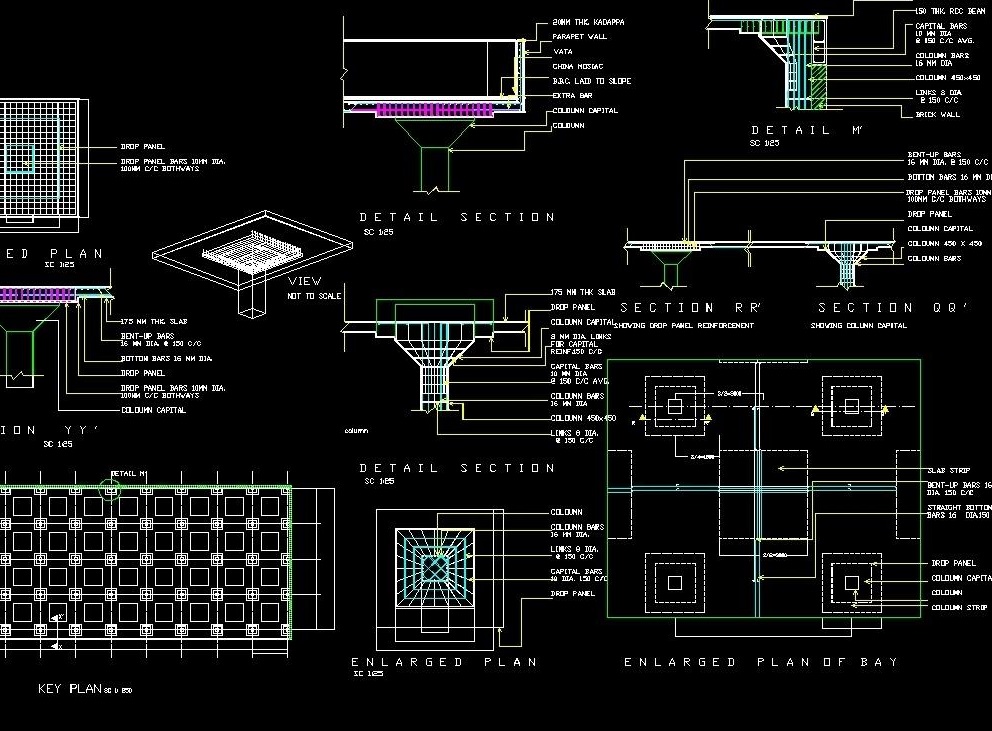
Who Should Use Slab Detailing DWG Files?
Slab detailing AutoCAD files are useful for civil engineering students, structural engineers, CAD draftsmen, and construction professionals. Students can use them to understand practical reinforcement detailing, while engineers can use them for quick drafting and reference. Draftsmen benefit from improved productivity, and educators can use these files as teaching materials in structural design courses.
Important Tips for Slab Detailing
While working with any Slab Detailing AutoCAD File, it is important to follow proper design codes such as BNBC 2020 or ACI 318. Ensure proper reinforcement cover to protect steel from corrosion and fire. Maintain correct spacing between bars to avoid congestion. Pay special attention to support regions where negative reinforcement is required. Also, always verify bar bending schedules to ensure correct material estimation and avoid wastage.
Download Slab Detailing AutoCAD DWG File
If you are looking for a high-quality Download Slab Detailing AutoCAD File, make sure the DWG includes all essential elements such as reinforcement plans, sectional details, and bar bending schedules. A good Slab Detailing DWG AutoCAD File should be clean, properly layered, and easy to edit so that it can be directly used in real projects or academic submissions.
🎓 Want to learn more?
This article is brought to you by qLearnify — your complete platform for engineering courses and resources.
👉 Explore courses & tools: https://qlearnify.com