
Column detailing is a critical part of reinforced concrete design, as columns are the primary load-carrying elements of any structure. A properly prepared Column Detailing AutoCAD DWG File helps engineers, students, and draftsmen understand how reinforcement is arranged and executed on-site. If you are looking to download Column Detailing AutoCAD DWG File, this guide will give you a complete understanding along with practical insights.
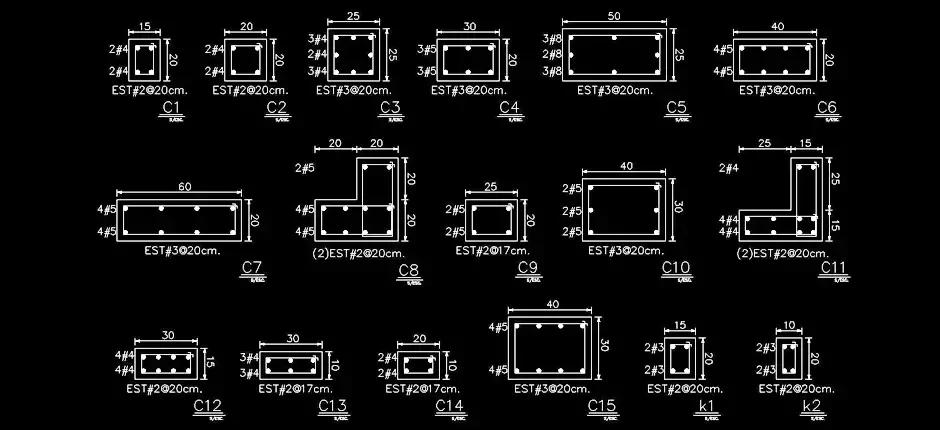
What is Column Detailing?
Column detailing refers to the preparation of detailed drawings that show the arrangement of reinforcement bars inside a column. These drawings include longitudinal bars, lateral ties or spirals, spacing, lap lengths, and cross-sectional dimensions. Proper detailing ensures that the column can safely transfer loads from beams and slabs down to the foundation. Without correct detailing, even a well-designed column may fail during construction or under loading.
Why You Should Download Column Detailing AutoCAD File
Using a ready-made detailing AutoCAD file (DWG) for columns can significantly improve your efficiency. Instead of drawing everything manually, you can use a professionally prepared file as a reference or template. Many engineers search for Download Detailing AutoCAD File, Column Detailing DWG AutoCAD File, or Structural Detailing CAD File to save time and learn standard detailing practices used in real projects. These files are especially useful for beginners who want to understand practical detailing beyond theoretical design.
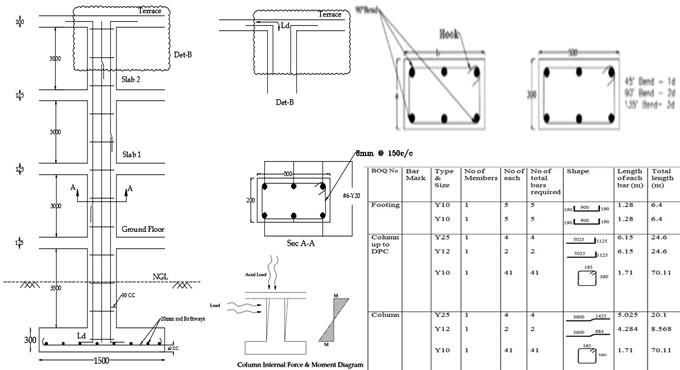
What is Included in a Column Detailing DWG File?
A standard Column Detailing AutoCAD DWG File contains several important components required for construction. It typically includes a longitudinal section showing vertical reinforcement and tie spacing, along with cross-sectional views that illustrate the arrangement of bars and cover details. The drawing may also include lap splice locations, anchorage details, and a bar bending schedule (BBS) for quantity estimation and fabrication guidance. These elements make the file a complete reference for both design and execution.
How to Use the Downloaded Column Detailing AutoCAD File
After you download a detailing AutoCAD file, you can open it in AutoCAD and start reviewing the drawing. First, check the units and scale used in the file. Then analyze different layers such as reinforcement, dimensions, and annotations. You can modify the column size, reinforcement details, and spacing according to your project requirements. This process helps you adapt the drawing for real-world use while maintaining professional standards.
Who Should Use Column Detailing DWG Files?
Column detailing AutoCAD files are useful for a wide range of users. Civil engineering students can use them to understand reinforcement detailing in practical terms, while structural engineers can use them as a base template for project drawings. CAD designers and draftsmen can improve their drafting speed and accuracy using these files. Additionally, trainers and educators can use these drawings as teaching materials in structural engineering courses.
Important Tips for Column Detailing
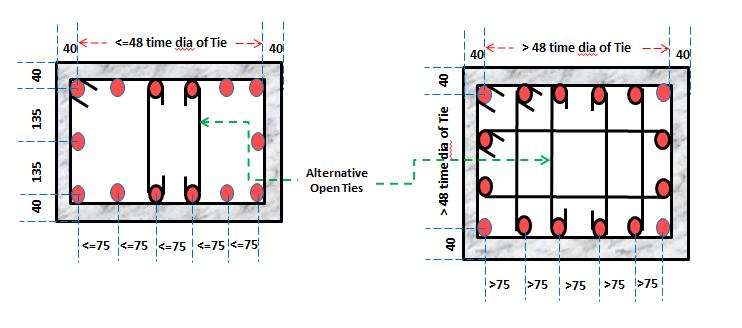
When working with any Column Detailing AutoCAD DWG File, it is important to follow standard design codes such as BNBC 2020 or ACI 318. Always ensure proper spacing of ties, especially near beam-column joints where confinement is critical. Maintain adequate concrete cover to protect reinforcement from corrosion and fire. Avoid congestion of bars, and ensure that lap splices are placed at appropriate locations. Finally, always verify the bar bending schedule to ensure accurate material estimation.
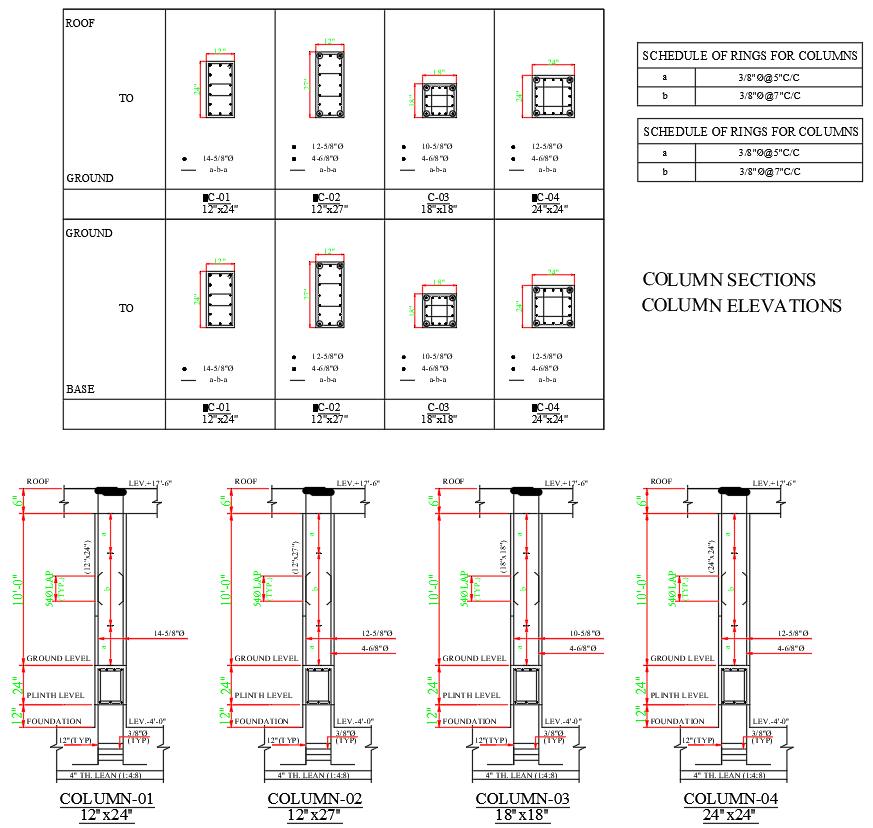
Download Column Detailing AutoCAD DWG File
If you are searching for a high-quality Download Column Detailing AutoCAD File, make sure the file includes all essential detailing components such as longitudinal sections, cross-sections, reinforcement details, and BBS. A good Column Detailing DWG AutoCAD File should be clean, properly layered, and easy to edit so that you can directly use it in your academic or professional projects.
Final Thoughts
A well-prepared Column Detailing AutoCAD DWG File is more than just a drawing—it acts as a complete construction guide. Whether you are a student learning the basics or a professional working on real projects, having access to a reliable detailing DWG AutoCAD file can improve both your understanding and productivity. By practicing with these files, you can develop strong detailing skills that are essential for any structural engineer.
🎓 Want to learn more?
This article is brought to you by qLearnify — your complete platform for engineering courses and resources.
👉 Explore courses & tools: https://qlearnify.com